



Google Takeout Explained: How to Download Everything Google Knows About You

Share

- What Is Google Takeout?
- What Can You Download With Google Takeout?
- Can Google Takeout Show Everything Google Knows About You?
- How to Download Your Google Data
- How to Download Gmail Data
- How to Download Google Search Activity
- Can You Download Google Maps Location Data?
- Can You Download Chrome Data?
- Can You Download Google Photos and Drive?
- What Does a Google Takeout File Look Like?
- How Long Does Google Takeout Take?
- Does Google Takeout Delete Your Data?
- What Google Takeout Does Not Mean
- Why You Should Download Your Google Data Before Deleting Your Account
- How to Use Google Takeout as a Privacy Audit
- Frequently Asked Questions
- Final Takeaway
What Is Google Takeout?
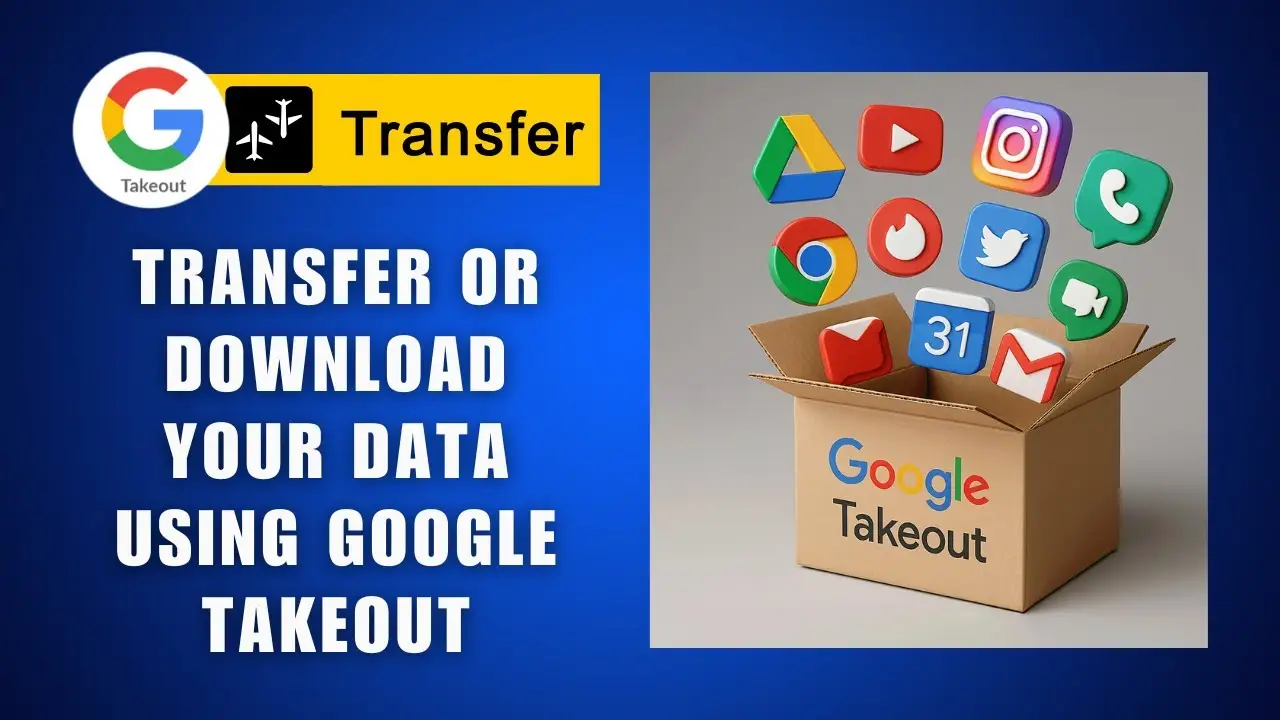
Google Takeout is Google’s tool for exporting and downloading a copy of data associated with your Google Account.
It allows you to create an archive containing information from Google products and services you use.
Depending on your account and the products you use, your export can include information from services such as:
- Gmail
- Google Drive
- Google Photos
- Google Calendar
- YouTube
- Google Contacts
- Google Maps
- Google Search activity
- Google account activity
- Other Google services
Google says you can use Takeout to keep your own records, create a backup, or transfer your information to another service.
This makes Google Takeout particularly useful if you want to understand the amount of information connected to your Google Account.
It is also useful before deleting Gmail or your entire Google Account.
Our previous article, What Happens to Your Gmail Data When You Delete Your Account?, explains why exporting important information before deletion matters. What Happens to Your Gmail Data When You Delete Your Account?
Google itself recommends downloading important data before deleting an account.
What Can You Download With Google Takeout?
Google Takeout covers a wide range of Google products.
The exact products available depend on what services you use and what Google makes available for export.
Your export can include information from:
Gmail
You can export email messages, headers, attachments, labels and various Gmail settings.
Google Drive
Documents and other files stored in Drive can be included in an export.
Google Photos
Photos and videos stored in Google Photos can be downloaded.
Google Calendar
Calendar information can be exported.
Google Contacts
Contacts can be exported in formats suitable for use with other services.
YouTube
Your account can contain information related to your YouTube activity and content.
Google Maps
Depending on the data and service involved, location and Maps-related information can be included in available exports.
Google Search and account activity
Google provides tools for downloading account and activity data, although not every category of information is necessarily stored or exported through the same system.
This last point is important.
Google Takeout is not necessarily a single database containing every piece of information Google has ever processed about you.
Different Google products store and manage different categories of data.
Can Google Takeout Show Everything Google Knows About You?
Not necessarily.
Google Takeout can provide a substantial copy of information associated with your account, but you should not interpret the resulting archive as a perfect representation of every piece of information Google has ever processed about you.
Google itself explains that some information may not be available through its standard download tools and provides additional privacy and data-access options for information that cannot be found through Takeout.
Google also explains that different types of data are stored in different Google products.
For example:
- Emails are stored in Gmail.
- Files are stored in Drive.
- Photos are stored in Google Photos.
- Some activity is stored in My Activity.
- Timeline data is managed separately.
- Search history can be stored through different Google activity systems.
Google’s own privacy documentation explains that some data must be managed directly inside the product where it is stored.
This is why Google Takeout is best understood as a data portability and export tool, not a complete forensic database of everything Google knows about you.
For the bigger picture, read our main guide, What Does Google Know About You? Complete Google Privacy Guide. What Does Google Know About You? Complete Google Privacy Guide
How to Download Your Google Data
Google’s current Takeout process is relatively straightforward.
Step 1: Sign Into Your Google Account
Sign into the Google Account whose information you want to download.
Make sure you are using the correct account if you have multiple Google accounts.
Step 2: Open Google Takeout
Go to Google’s Google Takeout service.
Google automatically selects many Google products that contain data associated with your account. You can deselect products you do not want to include.
Step 3: Choose Your Data
Review the list of Google products.
You can select or deselect individual services.
If a product offers additional export options, you may also be able to choose specific categories of information.
Step 4: Choose the Delivery Method
Google provides several ways to receive an archive.
Depending on your account and available options, you can receive a download link by email or send the archive to a supported cloud storage service.
Step 5: Choose the File Format
Google provides archive format options such as ZIP and other available formats depending on the export.
ZIP is generally convenient because it can be opened on most computers.
Step 6: Create the Export
Select the option to create your export.
Google will then prepare the archive.
The process can take from a few minutes to several days depending on the amount of information being exported. Google says most users receive the archive link the same day.
Step 7: Download the Archive
Once the export is ready, Google sends a notification containing instructions for downloading it.
Download the archive to a secure location.
How to Download Gmail Data
Gmail is one of the most useful parts of a Google Takeout export.
Google says Gmail exports can include:
- Message content
- Message headers
- Attachments
- Gmail labels
- Inbox messages
- Sent messages
- Drafts
- Archived messages
- Spam
- Trash
- User-created labels
- Filters
- Blocked addresses
- Email signatures
- Forwarding addresses
- Other Gmail settings
This can be particularly important before deleting Gmail.
If you have not already read it, see Gmail Privacy: Can Google Read Your Emails? Gmail Privacy: Can Google Read Your Emails?
That article explains what Gmail processes while your account is active, while this article focuses on exporting that information.
You can then connect the two topics with our article What Happens to Your Gmail Data When You Delete Your Account? What Happens to Your Gmail Data When You Delete Your Account?
The sequence is simple:
Understand Gmail privacy → Export your Gmail data → Decide whether to delete Gmail
How to Download Google Search Activity
Google Search can generate a significant amount of information over time.
Your account can contain information related to searches, interactions with Google services and other activity.
If you want to investigate what Google has associated with your search activity, your Google Account activity controls are an important place to start.
Our article Is Google Really Tracking Everything You Search? explains the broader relationship between Google Search and account activity. Is Google Really Tracking Everything You Search?
You should also read How Long Does Google Keep Your Search History?, which focuses specifically on retention and deletion controls. How Long Does Google Keep Your Search History?
Google’s current documentation says you can download your Google data and manage or delete activity through your account controls.
However, remember that Google Search data is not necessarily one single file.
Different types of activity can be stored through different Google systems.
Can You Download Google Maps Location Data?
Google Maps and location data require additional attention.
Google’s current system separates some location information from other Google Account activity.
For example, Timeline data is managed through Google Maps and device-based Timeline controls.
Our article Google Maps Location History: What Google Knows About Where You Go explains how Google’s current Timeline system works. Google Maps Location History: What Google Knows About Where You Go
You should also read How to Stop Google From Tracking Your Location for practical controls that can reduce location-related collection. How to Stop Google From Tracking Your Location
Google explains that some information is stored directly in the products where it is created and may therefore have separate controls from My Activity.
This means you should not assume that one Takeout archive represents every possible location record.
If location privacy is your main concern, review the relevant Google Maps and account controls separately.

Can You Download Chrome Data?
Chrome can contain another significant category of personal information.
Depending on your settings and synchronization configuration, Chrome can be associated with information such as:
- Browsing history
- Bookmarks
- Settings
- Password-related information
- Extensions
- Other synchronized Chrome data
The exact information available for export can depend on your account and Chrome settings.
Our article What Does Google Chrome Know About You While You Browse? examines what Chrome can collect and synchronize. What Does Google Chrome Know About You While You Browse?
There is also an important connection with Incognito Mode.
Incognito does not mean that your entire browsing activity becomes invisible to Google, your network provider, websites or other parties.
Read Does Incognito Mode Really Protect Your Privacy? for a detailed explanation. Does Incognito Mode Really Protect Your Privacy?
Together, these articles cover three different questions:
What does Chrome know?
What does Incognito actually hide?
What can you export from your Google Account?
Can You Download Google Photos and Drive?
Yes.
Google Takeout supports exporting data from products such as Google Photos and Google Drive.
This can be particularly useful if you are:
- Moving away from Google
- Creating a personal backup
- Closing an old account
- Moving to another cloud provider
- Auditing your personal data
- Preparing to delete your Google Account
Before deleting an account, make sure the export is actually downloaded and opened.
Do not assume that because Google says the archive has been created, every important file has been preserved in a way that works for you.
Google also notes that recent changes to data may not always be reflected in an archive created after the export request, depending on the product and timing.
For important records, verify the archive before deleting anything.
What Does a Google Takeout File Look Like?
Google organizes exported information into files and folders according to the product that generated the data.
You may see folders for different Google services.
Depending on the product, exported information can appear in formats such as:
- HTML
- JSON
- CSV
- MBOX
- ZIP archives
- Original media formats
Google says HTML files can be opened in a standard browser, while CSV and JSON files can be opened with appropriate applications.
Gmail exports can contain email information in formats suitable for preserving and working with the mailbox data. Google also states that encrypted messages remain encrypted in a Gmail export.
A large Takeout archive can therefore look overwhelming.
That is normal.
The purpose is not necessarily to make the information easy to read as one giant report.
The archive is designed to give you portable copies of data from different Google services.
How Long Does Google Takeout Take?
There is no single guaranteed processing time.
Google says an export can take from a few minutes to a few days, depending on the amount of information in the account. Most people receive their download link the same day.
A small account with limited data may be processed relatively quickly.
An account containing years of:
- Gmail
- Photos
- Videos
- Drive files
- YouTube content
- Other large datasets
can take considerably longer.
If your export is very large, Google recommends creating smaller exports or selecting fewer products if you encounter problems downloading the archive.
Does Google Takeout Delete Your Data?
No.
This is one of the most important things to understand.
Downloading your Google data does not delete the original information from Google’s servers.
Google explicitly states that downloading your data does not delete it.
Think of Takeout as:
Copy, not delete.
For example:
Google Account → Takeout → Downloaded copy
The original Google data remains associated with your account unless you separately delete it.
This is particularly important if you are preparing to close an account.
The correct order is generally:
Export → Verify → Update dependent services → Delete
not:
Delete → Try to recover the data
What Google Takeout Does Not Mean
Google Takeout is powerful, but there are several things it does not mean.
Takeout does not mean Google has no other data
An export is not necessarily a complete inventory of every piece of information Google may process.
Takeout does not delete your information
Downloading a copy does not remove the original data.
Takeout does not make you anonymous
Downloading your data does not change Google’s ability to associate existing information with your account.
Takeout does not automatically export another person’s data
You can export data associated with your account, subject to Google’s rules and the permissions that apply.
Takeout does not necessarily include every product in exactly the same way
Different Google services have different data structures and export capabilities.
Google itself says some information may not be available through standard Takeout tools.
Why You Should Download Your Google Data Before Deleting Your Account
If you are considering deleting your Google Account, exporting your information first can prevent unnecessary data loss.
Your account may contain years of information.
That can include:
- Personal emails
- Business communications
- Photos
- Videos
- Documents
- Contacts
- Calendar records
- YouTube content
- Search-related activity
- Other account information
Google recommends downloading important data before deleting an account.
This is particularly important if you use Gmail as your primary email address.
Before deleting the account, change the email address associated with important external services.
Check:
- Banking
- Social media
- E-commerce
- Developer platforms
- Hosting accounts
- Government services
- Employment websites
- Cloud services
- Subscription services
- Password recovery addresses
Otherwise, deleting the Google Account could leave you unable to access accounts that still depend on that Gmail address.
Our article What Happens to Your Gmail Data When You Delete Your Account? covers this issue in more detail. What Happens to Your Gmail Data When You Delete Your Account?
How to Use Google Takeout as a Privacy Audit
Google Takeout can be more than a backup tool.
You can use it as a practical privacy audit.
Instead of simply downloading everything and forgetting about it, inspect what your account has accumulated.
Step 1: Export your data
Create a Takeout archive containing the Google services you use.
Step 2: Examine the archive
Look at the folders and files.
You may discover information you forgot was stored.
Step 3: Review old Gmail
Look through old emails, attachments and labels.
Ask whether you still need them.
Step 4: Review Search activity
Look at your Google activity and consider how much historical search information is associated with your account.
This connects directly to our article How Long Does Google Keep Your Search History? How Long Does Google Keep Your Search History?
Step 5: Review Chrome
Look at the browser data and synchronization settings that apply to your account.
Our article What Does Google Chrome Know About You While You Browse? provides the broader explanation. What Does Google Chrome Know About You While You Browse?
Step 6: Review Maps and location
Check your Maps and Timeline settings.
Our guide Google Maps Location History: What Google Knows About Where You Go explains what Timeline can contain. Google Maps Location History: What Google Knows About Where You Go
Step 7: Change unnecessary settings
If you discover services collecting information you do not need, review their privacy controls.
Our practical guide How to Stop Google From Tracking Your Location can help with location-related settings. How to Stop Google From Tracking Your Location
Step 8: Delete information you no longer need
Use the relevant Google product or account controls to delete information.
Google explains that some data must be managed directly in the product where it is stored.
Step 9: Repeat periodically
A privacy audit is not necessarily a one-time event.
Google services change.
Your account accumulates new information.
Your privacy settings can also change as new products and features are introduced.
Frequently Asked Questions
What is Google Takeout?
Google Takeout is Google’s data export tool that lets you create and download a copy of information associated with your Google Account.
Can Google Takeout download Gmail?
Yes. Gmail exports can include message content, headers, attachments, labels and various settings.
Does Google Takeout download everything Google knows about me?
Not necessarily. Takeout provides available exportable information from supported Google products, but Google says some information may not be available through the standard download tools.
Does Google Takeout delete my data?
No. Google explicitly states that downloading your data does not delete it from Google’s servers.
How long does Google Takeout take?
Google says an export can take from a few minutes to a few days, depending on the amount of information being exported.
Can I download only Gmail?
Yes. You can select which Google products to include in your export and deselect products you do not need.
Can I download Google Search history?
Google provides tools for downloading Google account data and managing activity, although different types of Search-related information may be handled through different systems.
Can I download Google Maps data?
Some Maps and location-related data can be exported, but Google manages different categories of location information through different systems. Timeline in particular has its own controls.
Can I download my Google Chrome data?
Some Chrome-related information can be associated with your Google Account depending on your settings and synchronization configuration. The exact data available can vary.
Can I use Google Takeout before deleting my Google Account?
Yes. In fact, Google recommends downloading important information before deleting your account.
Does downloading my Google data make me more private?
Downloading the data itself does not change Google’s collection or retention settings.
However, examining the export can help you understand what information is associated with your account and decide what you want to keep, delete or change.
Final Takeaway
Google Takeout is one of the most useful tools for understanding and taking control of your Google data.
It can give you copies of information from Gmail, Drive, Photos, YouTube and other Google services.
But it is important to understand what Takeout does and does not do.
It exports your data.
It does not automatically delete it.
It can reveal a substantial amount of information associated with your Google Account, but it should not necessarily be treated as a complete inventory of everything Google has ever processed about you.
For anyone serious about digital privacy, a good process is:
Export your data → Examine it → Review your settings → Delete what you no longer need → Repeat periodically
If you are specifically concerned about Gmail, continue with Gmail Privacy: Can Google Read Your Emails? Gmail Privacy: Can Google Read Your Emails?
If you are considering leaving Gmail, read What Happens to Your Gmail Data When You Delete Your Account? What Happens to Your Gmail Data When You Delete Your Account?
And for the complete Google privacy picture, return to What Does Google Know About You? Complete Google Privacy Guide. What Does Google Know About You? Complete Google Privacy Guide
Official Sources
- Google Account Help, How to download your Google data.
- Gmail Help, Export your data from Gmail.
- Google Account Help, Find, control and delete the info in your Google Account.
- Google Account Help, How Google helps you delete data from your account.












Leave a Reply