



Does Incognito Mode Really Protect Your Privacy?

Share
- Does Incognito Mode Really Keep You Private? Here’s What It Actually Hides
- You’re Using Incognito Mode Wrong. Here’s What Chrome Can Still See
- Incognito Mode Isn’t as Private as You Think. Here’s What It Does
- What Does Incognito Mode Actually Hide From Google and Websites?
- Think Incognito Makes You Anonymous? Here’s What It Really Does
- Chrome Incognito Mode: What It Hides and What It Doesn’t
- Your Incognito Browsing Isn’t Completely Private. Here’s Why
- What Google Can Still See When You Use Incognito Mode
- Incognito Mode Explained: What Happens When You Browse Privately
- Does Incognito Hide Your Search History From Google? The Answer
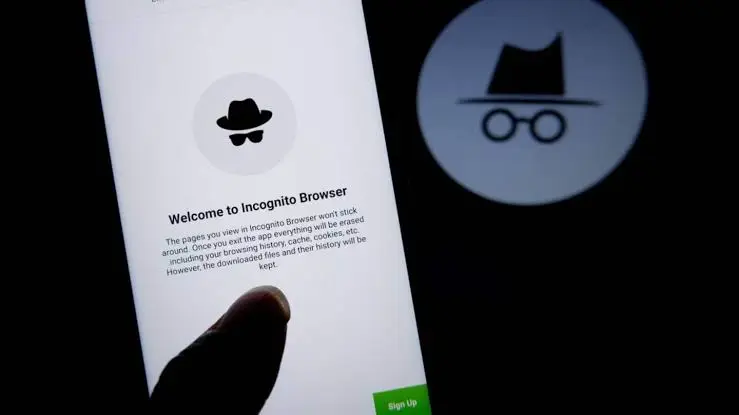
Incognito Mode is one of the most misunderstood privacy features on the internet.
Millions of people open a private browsing window when they want to search for something without leaving a trace. The assumption is simple: if Chrome does not save the browsing history, nobody can see what you did.
That is only partly true.
Incognito Mode can prevent Chrome from keeping certain browsing information on your device after the private session ends. But it does not make you anonymous online. Websites, Google services, your internet service provider, and organizations that manage the network you use may still be able to observe activity associated with your browsing session.
This distinction matters because private browsing and online anonymity are two different things.
If you want a broader explanation of the information Google can collect across its services, see our guide to What Does Google Know About You? Complete Google Privacy Guide.
And if your concern is specifically about Google searches, our guide on Is Google Really Tracking Everything You Search? explains how search activity can be handled when you use Google.
Table of Contents
- What Is Incognito Mode?
- What Does Incognito Mode Actually Hide?
- Does Incognito Save Your Browsing History?
- Can Google See What You Search in Incognito Mode?
- Can Websites Track You in Incognito Mode?
- Can Your ISP See Incognito Browsing?
- Can Your Employer or School See Incognito Activity?
- Does Incognito Hide Your IP Address?
- What Does Incognito Mode Not Save?
- What Does Incognito Mode Still Keep?
- Does Incognito Delete Everything When You Close the Window?
- Is Incognito Mode the Same as a VPN?
- When Should You Use Incognito Mode?
- How to Use Incognito Mode More Privately
- Incognito Mode Privacy: What You Should Know
- Frequently Asked Questions
What Is Incognito Mode?
Incognito Mode is Chrome’s private browsing feature.
When you open an Incognito window, Chrome starts a separate browsing session. Chrome is designed to limit the amount of browsing information stored locally on your device during that session.
Once all Incognito windows are closed, Chrome does not retain the normal record of the websites you visited or the site data associated with that session.
This makes Incognito useful when you do not want another person using the same device to easily see your browsing history.
For example, you might use Incognito when:
- Using a shared computer
- Researching a private topic
- Shopping for a surprise gift
- Testing a website without using your normal browser session
- Signing into a temporary account
- Browsing without affecting your normal Chrome session
However, Incognito was never designed to make your internet connection completely private.
That is the most important distinction to understand.
What Does Incognito Mode Actually Hide?
Incognito primarily protects your browsing activity from being stored locally in the normal Chrome browsing history.
Google explains that after an Incognito session ends, Chrome does not retain a record of the sites visited or site data from that session.
In practical terms, someone who later opens the Chrome History page on your computer should not find the websites you visited during the Incognito session.
But this does not mean that the websites themselves forgot that you visited them.
Think of Incognito as reducing the local record on your device rather than creating an invisible internet connection.
The website you visit still receives the information necessary to deliver the page. Your network connection still exists. Your internet provider still provides the connection. And services used by websites may still process information about your activity.
Does Incognito Save Your Browsing History?
Chrome does not save the websites you visit in Incognito Mode to your normal browsing history after the session ends.
Chrome’s regular history page also excludes pages visited while browsing privately.
This is one of the main benefits of Incognito.
However, there are important exceptions.
Downloads are not automatically deleted.
If you download a file while using Incognito, that file remains on your device after you close the private window. Bookmarks you create can also remain available.
So Incognito does not mean that absolutely everything you do disappears.
It mainly prevents Chrome from retaining the normal browsing history and temporary site data associated with the private session.
Can Google See What You Search in Incognito Mode?
Yes, Google can potentially receive information about searches performed through Google services even when you use Incognito Mode.
Incognito does not prevent websites from collecting information about visitors. Google specifically explains that using Incognito does not change how data is collected by websites and services you visit, including Google.
There is another important detail.
You can sign into Google websites while using an Incognito window. If you sign into a Google Account in a private browsing window, Google states that your search activity may be stored in that account.
Therefore, Incognito should not be treated as a way to hide your Google activity from Google.
If you want to understand the relationship between searches, account activity and Google’s data collection, read How Long Does Google Keep Your Search History?.
That article explains how Google handles search history, automatic deletion and activity controls.
Can Websites Track You in Incognito Mode?
Yes.
Incognito Mode does not prevent websites from collecting information about visitors.
When you visit a website, the website can still process information associated with your connection and browser session.
This can include information needed to operate the website, security-related information and other data collected according to the site’s own privacy practices.
Google explicitly states that websites visited during Incognito may still be able to gather information about you even when you are not signed in.
Incognito therefore should not be interpreted as:
“The website cannot identify or track me.”
A more accurate interpretation is:
“Chrome will not keep the normal local browsing record after I close the Incognito session.”
Those are very different privacy protections.
Can Your ISP See Incognito Browsing?
Incognito Mode does not prevent your internet service provider from potentially observing your online activity.
Your ISP provides the connection between your device and the wider internet. Using a private browser window does not remove that network relationship.
Google explicitly lists internet service providers among organizations that may be able to observe activity when you browse in Incognito Mode.
This is why Incognito should not be confused with a tool designed to hide network activity.
If your main concern is what your internet provider can see, Incognito alone is not the solution.
Your ISP may still have visibility into aspects of your connection depending on the technology being used, encryption, network configuration and applicable laws.
For a deeper explanation of internet-provider visibility, see How Long Does Google Keep Your Search History? and our broader privacy coverage on search and browsing activity.
Can Your Employer or School See Incognito Activity?
Potentially, yes.
If you use a network controlled by an employer, school, university or another organization, Incognito does not automatically hide your activity from the organization managing that network.
Google specifically states that organizations managing the network, including schools and employers, may be able to observe activity performed in Incognito Mode.
This is particularly important when using:
- Company Wi-Fi
- School networks
- University networks
- Managed computers
- Corporate VPNs
- Enterprise security systems
- Public or organizational networks
Opening an Incognito window changes how Chrome handles local browsing data. It does not change who controls the network connection.
Does Incognito Hide Your IP Address?
No.
Incognito Mode is not an IP-address-hiding service.
Your device still connects to the internet through a network, and websites can receive network-related information associated with your connection.
If your goal is to change or conceal your public IP address from websites, you need a different privacy mechanism, such as a VPN or another network configuration.
Even then, privacy tools have their own limitations and trust considerations.
A VPN, for example, changes which party you trust with certain network-level information. Instead of relying only on your ISP, you are also placing trust in the VPN provider.
That is why online privacy should be viewed as a combination of browser settings, account settings, network security and the services you choose.
What Does Incognito Mode Not Save?
According to Google, Incognito limits what Chrome stores locally during the private session. After all Incognito windows are closed, Chrome does not retain the normal record of websites visited or site data from the session.
This includes the normal browsing history associated with the session.
Incognito also provides a separate browsing session from your normal Chrome window.
That separation can be useful when you want to prevent your existing browser activity, cookies and other session information from automatically carrying over into a new browsing session.
Third-party cookies are also blocked by default in Incognito Mode, although Chrome allows them to be temporarily enabled for individual sites when necessary.
What Does Incognito Mode Still Keep?
Incognito does not mean that your entire digital footprint disappears.
Some information can remain on your device.
Downloads
Files downloaded during an Incognito session remain on your device after the session ends.
You must delete them yourself if you no longer want them.
Bookmarks
Bookmarks created during an Incognito session can also remain available in your normal Chrome browsing environment.
Information You Give Websites
If you enter information into a website, Incognito does not magically prevent the website from receiving it.
For example, if you enter your name, email address or other information into a website form, that website can process the information according to its own systems and privacy practices.
Accounts You Sign Into
Incognito does not prevent you from logging into websites.
If you sign into an account, the service can associate activity with that account according to its systems and policies.
This is one reason why people should not assume that Incognito automatically separates their online activity from their identity.
Does Incognito Delete Everything When You Close the Window?
No.
It removes much of the local browsing information associated with the Incognito session, but it does not erase information that exists elsewhere.
For example, closing an Incognito window does not automatically:
- Delete files you downloaded
- Delete bookmarks you created
- Erase records held by websites
- Erase records held by network administrators
- Delete information from accounts you used
- Remove information already processed by online services
- Make your IP address disappear from the internet
Google describes Incognito as a way to browse more privately, not as a way to become invisible online.
This is the central privacy lesson.
Deleting local browser history is not the same thing as deleting online records.
Is Incognito Mode the Same as a VPN?
No.
Incognito Mode and a VPN solve different privacy problems.
| Feature | Incognito Mode | VPN |
|---|---|---|
| Prevents normal local browsing history | Yes | No, by itself |
| Hides browsing history from another Chrome user | Yes | Not necessarily |
| Hides activity from websites | No | Not completely |
| Hides your IP address from websites | No | Usually, the VPN’s IP is presented instead |
| Prevents your ISP from seeing that you are connected | No | No |
| Encrypts traffic between your device and VPN server | No | Yes |
| Makes you anonymous | No | No |
| Protects against every form of tracking | No | No |
A VPN can provide an additional layer of network privacy, but it does not make you completely anonymous.
Likewise, Incognito can reduce local traces without providing network anonymity.
They should therefore not be treated as interchangeable tools.
When Should You Use Incognito Mode?
Incognito Mode is useful when your main concern is local privacy.
Consider using it when:
You share a computer
Incognito can prevent your browsing activity from appearing in the normal Chrome history after the session ends.
You are shopping for a surprise
A private session can help prevent someone else using the device from seeing your browsing history.
You want a temporary browsing session
Incognito gives you a separate session that does not automatically use the normal browsing history and site data from your regular Chrome session.
You want to test a website
Developers, marketers and website administrators can use private sessions to check how a site behaves without relying on their normal browsing state.
You want to avoid carrying over existing cookies
A new Incognito session can provide separation from your normal browsing session.
But if your concern is network surveillance, IP privacy or online anonymity, Incognito alone is not enough.
How to Use Incognito Mode More Privately
Incognito works best when you understand what it does and combine it with sensible privacy practices.
1. Do not confuse Incognito with anonymity
This is the biggest mistake to avoid.
Incognito primarily limits local browser storage.
It does not make you invisible to websites, Google, your ISP or organizations controlling the network.
2. Be careful when signing into accounts
If you sign into Google or another online service while using Incognito, the service can still associate activity with your account.
Google specifically warns that signing into a Google Account in a private browsing window can result in search activity being stored in that account.
3. Remember that downloads remain
Always check your Downloads folder if you used Incognito to download sensitive files.
4. Review Google activity separately
Incognito does not replace your Google Account privacy controls.
If you regularly use Google services, review your account activity settings and understand what information is being saved.
For more information, read What Does Google Know About You? Complete Google Privacy Guide.
5. Use HTTPS
HTTPS protects information while it travels between your browser and a website.
However, HTTPS and Incognito solve different problems.
HTTPS helps protect the contents of network communications from being read in transit.
Incognito primarily controls what Chrome stores locally.
6. Consider a VPN when network privacy is your concern
A VPN can provide encrypted communication between your device and the VPN server and can change the IP address presented to websites.
But choose a VPN carefully and understand its privacy policy, logging practices and business model.
No single privacy tool solves every privacy problem.
Incognito Mode Privacy: What You Should Know
The simplest way to understand Incognito Mode is this:
Incognito protects your browsing history from being stored normally on your device. It does not protect your browsing activity from everyone else on the internet.
Chrome itself makes this distinction clear.
When the Incognito session ends, Chrome does not retain the normal record of websites visited during the session. But websites, Google services, your employer or school, and your ISP may still be able to observe activity.
That means there are really two different questions:
“Will someone using my computer see my browsing history?”
Incognito can help with this.
“Can websites, Google, my ISP or my employer see what I am doing online?”
Incognito does not automatically prevent that.
Understanding this difference can help you choose the right privacy tools instead of relying on one browser feature for every privacy concern.
For a broader look at Google’s data practices, start with What Does Google Know About You? Complete Google Privacy Guide.
You can then explore Is Google Really Tracking Everything You Search? and How Long Does Google Keep Your Search History? to understand how search activity and account history fit into the bigger picture.
Frequently Asked Questions
Does Incognito Mode really protect your privacy?
Yes, but only in a limited sense. Incognito can reduce the browsing information Chrome saves locally on your device. It does not make you anonymous or prevent websites, Google, your ISP or network administrators from potentially observing activity.
Can Google see my searches in Incognito Mode?
Google can still receive information when you use Google services in Incognito Mode. Incognito does not prevent websites and services from collecting information about activity. If you sign into your Google Account while using Incognito, Google says your search activity may be stored in that account.
Does Incognito hide my IP address?
No. Incognito Mode does not hide your IP address.
Can my ISP see my Incognito history?
Incognito does not prevent your ISP from potentially observing your activity. Google specifically lists ISPs among organizations that may be able to observe activity during Incognito browsing.
Can my employer see Incognito browsing?
Potentially. If your employer manages the network or device you are using, Incognito does not automatically prevent monitoring or observation of network activity.
Does Incognito delete browsing history permanently?
It prevents Chrome from retaining the normal local browsing history from the Incognito session after all Incognito windows are closed. It does not delete records that may already exist elsewhere, such as information held by websites or network operators.
Are downloads deleted in Incognito Mode?
No. Files you download remain on your device after you close the Incognito window.
Is Incognito better than normal browsing for privacy?
It can provide more local privacy because Chrome does not retain the normal browsing history from the private session. However, it does not provide complete online privacy or anonymity.
Is Incognito Mode the same as a VPN?
No. Incognito controls local browser data, while a VPN is primarily a network privacy tool. They address different privacy concerns.
What is the biggest misconception about Incognito Mode?
The biggest misconception is that Incognito makes you invisible online. It does not. It mainly prevents Chrome from retaining certain browsing information locally after the private session ends.
Final Takeaway
Incognito Mode is useful, but its privacy protection has limits.
It can help keep your browsing history away from other people who use your device. It can also create a temporary browsing session with less local data retention.
But Incognito does not make you anonymous.
Websites can still collect information. Google services can still process activity. Your ISP may still observe network activity. Employers and schools managing networks may also have visibility.
The right way to think about Incognito is simple:
It is private browsing, not anonymous browsing.
If you want to understand the bigger picture of Google’s data collection, continue with What Does Google Know About You? Complete Google Privacy Guide.
For Google search-specific privacy, read Is Google Really Tracking Everything You Search? and How Long Does Google Keep Your Search History?.
Sources
- Google Chrome Help, Browse in Incognito mode.
- Google Account Help, Access & control activity in your account.
- Google Chrome Help, Check or delete your Chrome browsing history.
- Google Search Help, Find & control your Web & App Activity.













Leave a Reply