



How Long Does Google Keep Your Search History?

Share
- How Long Does Google Really Keep Your Search History?
- Your Google Searches May Be Stored Longer Than You Think
- How Far Back Can Google See Your Search History?
- What Happens to Your Google Searches After You Delete Them?
- Google Knows Your Search History. Here’s How Long It Can Stay
You search for something on Google, close the browser, and move on.
But how long does Google actually keep that search?
The answer is not simply “forever” or “a few months.”
Google provides controls that determine how long certain Search activity is retained in your Google Account. Depending on the account and the settings available to you, you can manually delete activity or choose automatic deletion periods.
Google is also currently rolling out updated controls called Search Services History, which cover interactions across Google Search services including Search, Maps, Shopping, Flights, Hotels, Translate, and News. Accounts that have not received the newer controls may continue to manage relevant activity through Web & App Activity.
So, how long does Google keep your search history?
It depends on your settings, the type of activity involved, and whether you delete it.
How Long Does Google Keep Search History?
Google does not require every user’s Search history to be kept for one fixed period.
Instead, Google provides users with controls for how long supported activity is saved.
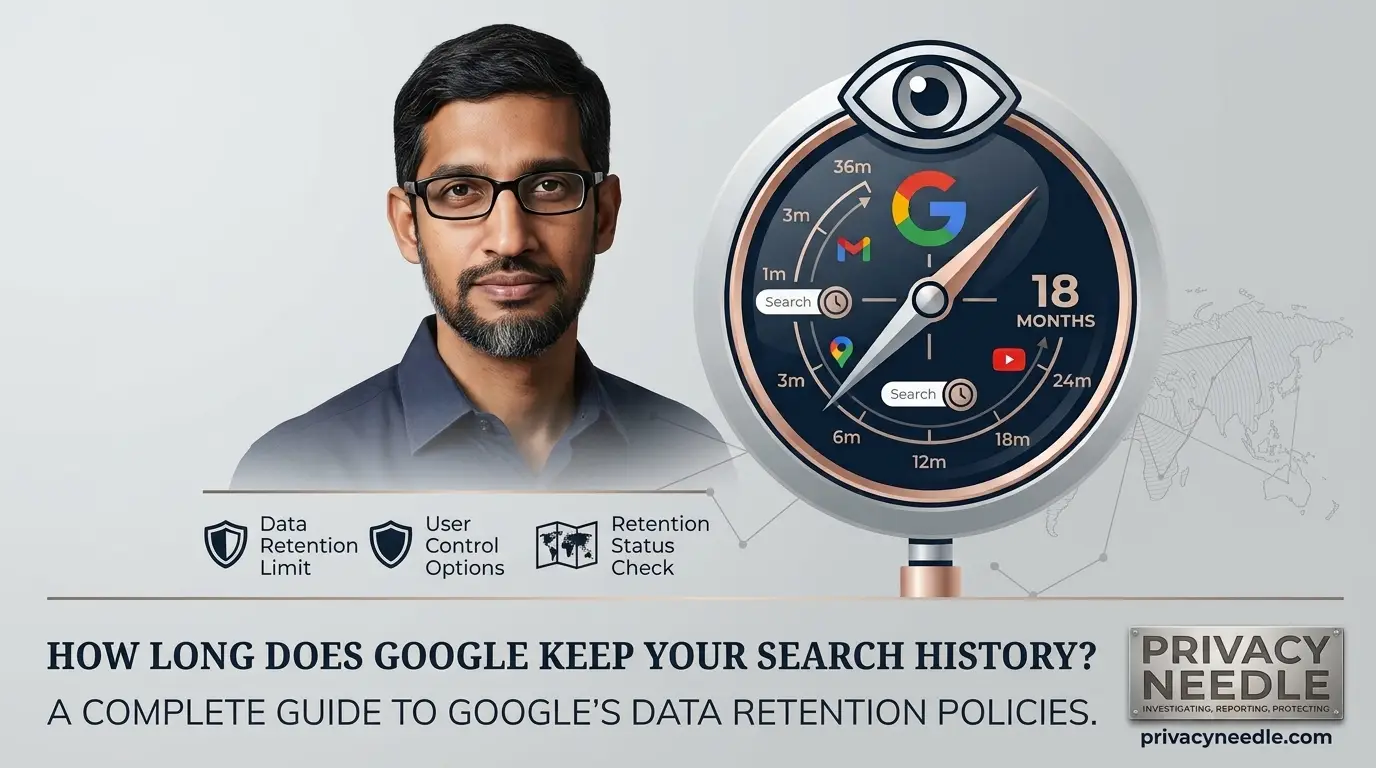
For Google Search activity, available automatic deletion periods can include:
- 3 months
- 18 months
- 36 months
- No automatic deletion
Google’s current Search Services History documentation says your history is saved for the period you choose and then automatically deleted, unless you choose to keep it indefinitely. You can also delete history manually at any time.
This means there is no single answer such as:
“Google keeps your searches for 18 months.”
That may be the setting for one account, but another account could have a different retention setting.
Your own Google Account controls determine what happens to supported activity.
Does Google Automatically Delete Your Search History?
It can.
Google provides automatic deletion controls for supported activity.
Under Google’s current controls, users can choose a period after which eligible activity is automatically deleted.
The available periods can include:
3 months
18 months
36 months
You can also choose not to automatically delete supported activity.
This is important because many people assume that Google automatically keeps everything indefinitely.
That is not necessarily the case.
However, it is equally important not to assume that every Google service follows exactly the same retention system.
Search history, YouTube History, Timeline, Chrome activity, Gmail, Photos, and Drive are not simply one giant category of data.
What Is Google Search Services History?
Google is currently updating how it manages history for its Search services.
The new Search Services History system covers services including:
- Google Search
- Google Maps
- Google Shopping
- Google Flights
- Google Hotels
- Google Translate
- Google News
Google says the new controls are being rolled out gradually. If your account does not yet show the updated settings, relevant Search history and personalized recommendations may still be controlled through Web & App Activity.
This matters because you may see different privacy controls from another Google user.
The exact interface can depend on your account and whether Google’s newer controls have reached your account.
What Is Web & App Activity?
Before Google’s newer Search Services History system, Web & App Activity was one of the primary Google Account controls for saving Search activity.
Google says Web & App Activity can save searches and other activity on Google services to your account.
Depending on your settings, it can also include:
- Chrome history
- Activity from sites using Google services
- Activity from apps
- Activity from devices using Google services
- Certain audio recordings from interactions with Google Search, Assistant, and Maps
Google says these controls can be managed through your Google Account.
For this reason, older articles about Google privacy may refer heavily to Web & App Activity, while newer Google accounts may increasingly show Search Services History controls.
What Happens If You Choose 3 Months?
If your supported Search history is configured for automatic deletion after three months, eligible history older than that period is automatically deleted.
This means your account does not have to accumulate years of Search history.
However, automatic deletion does not mean that information disappears instantly from every possible location whenever the retention period is reached.
Google explains that deletion begins a process that removes activity from the product and system, followed by processes designed to safely delete it from storage systems. Google also says some information may be retained for limited purposes, such as legal or business requirements.
So automatic deletion should be understood as a data-retention control, not as a promise that every copy disappears at precisely the same second.
What Happens If You Choose 18 Months?
An 18-month setting means eligible activity older than 18 months is automatically deleted under the applicable history control.
Google has historically used 18 months as a default automatic deletion period for some newly enabled activity settings.
Google’s privacy documentation says new accounts have historically had automatic deletion set to 18 months for certain core activity controls, while users can change or disable the setting.
The important point is that you should check your own account rather than assume your settings match Google’s defaults or another person’s account.
What Happens If You Choose 36 Months?
If you choose three years, supported activity can remain in your account for up to that period before automatic deletion.
This may be useful if you want longer access to your history for personal reasons.
But from a privacy perspective, longer retention also means more historical activity remains associated with your account.
A useful question is:
Do you actually need years of search history?
If the answer is no, a shorter automatic deletion period may reduce the amount of historical activity retained in your account.
What If Automatic Deletion Is Turned Off?
If automatic deletion is disabled, supported activity may remain in your Google Account until you manually delete it or another applicable retention rule applies.
Google’s Search Services History documentation says users can choose to keep history indefinitely.
This is why checking your settings matters.
Two people can use Google Search in almost exactly the same way but have very different amounts of historical activity stored in their accounts.
One person may have only a few months of searchable history.
Another may have years.
Can You Delete Google Search History Manually?
Yes.
Google allows users to manually delete saved Search history.
Depending on the interface available to your account, you can delete:
- An individual search
- Activity from a specific day
- Activity from a selected period
- All available Search history
Google’s Search Help documentation explains that My Activity provides controls for deleting individual searches, searches from a day, a custom period, or all Search history.
Once deleted, Google says the activity cannot be recovered through the normal My Activity interface.
How to Delete Your Google Search History
To review and delete your Search history:
- Open your Google Account.
- Go to your activity or Search history controls.
- Open My Activity if your account uses the relevant controls there.
- Review your saved Search activity.
- Select the activity you want to remove.
- Delete individual searches or a larger time period.
- Review your automatic deletion settings.
Google’s interface is changing as Search Services History rolls out, so the exact names and location of the controls may differ between accounts.
Does Turning Off Search History Delete Your Old Searches?
Not necessarily.
This is one of the most important distinctions to understand.
Turning off future saving and deleting existing history are separate actions.
Google’s current Search Services History documentation says that when the setting is turned off, new activity is not saved to Search Services History in your Google Account.
However, past history that you have not deleted can continue to be used according to the applicable settings and will be deleted according to your existing auto-delete option.
Therefore, if your goal is to remove existing Search history, do not simply turn off the setting.
Review and delete the historical activity as well.
Does Deleting Search History Delete Everything Google Knows About You?
No.
Deleting Google Search history does not mean every piece of information associated with your Google Account disappears.
Google operates many different products and data systems.
Depending on what you use, your account may contain information associated with:
- YouTube
- Google Maps
- Timeline
- Gmail
- Google Photos
- Google Drive
- Chrome
- Google Play
- Other Google services
Google’s My Activity documentation specifically explains that some activity is stored in other places and that different services have separate settings.
For example, deleting your Search history does not automatically mean that your YouTube watch history or Google Photos library is deleted.
This is why a complete Google privacy audit needs to go beyond Search.
Can Your Browser Still Remember Your Searches?
Yes.
This is another common source of confusion.
Your Google Account history and your browser history are not necessarily the same thing.
Google explains that even if Search history is not saved to your Google Account, or you delete it from My Activity, your browser might still store browsing history.
For example, Chrome may retain browsing information locally on your device until you clear it.
Therefore:
Deleting Google Account Search history does not automatically clear every local browser record.
If you want to reduce local traces as well, you need to review your browser’s own history and privacy controls.
What Happens When You Search in Incognito Mode?
Incognito changes how the browsing session is handled locally, but it does not make you anonymous.
Google says searches performed while searching and browsing in Incognito mode are not saved to your Google Account Search history.
However, Incognito does not mean:
- Websites cannot see your activity
- Your internet provider cannot potentially observe network traffic
- You become completely anonymous
- Other online services stop collecting information
Incognito is primarily a privacy feature for the browsing session, not an anonymity system.
What Happens If You Search While Signed Out?
Being signed out changes how activity is associated with your Google Account, but it does not mean no information is used.
Google says search and advertising results may still be customized using search-related activity when you are signed out.
Google provides Search customization controls for signed-out users.
Google also says that some information not associated with your account can still be collected and used for purposes such as keeping services working and secure.
So:
Signed out does not equal anonymous.
It simply changes how your activity is associated with your account.
Does Google Keep Search History Forever?
Not necessarily.
Whether your Search history remains for a long time depends on your settings and the applicable Google service.
Google currently gives users the ability to choose how long supported Search history is retained before automatic deletion, with options that can include 3, 18, and 36 months. Users can also manually delete history.
However, it would be inaccurate to assume that every piece of Google data follows the same retention period.
Different Google services have different controls.
For example, Gmail, YouTube, Maps Timeline, Chrome, Photos, and Drive should be considered separately.
Does Google Keep Deleted Search History?
Google says that when you delete activity, the deletion process starts by removing the activity from the product and system.
The company says it then begins a process designed to safely and completely delete the data from its storage systems.
Google also explains that some information may be retained for limited purposes, including legal or business requirements.
This means it is more accurate to say:
Deleting Search history starts Google’s deletion process.
It is not accurate to claim that every copy disappears instantly at the exact moment you press Delete.
What About Search History Used for AI?
Google’s current Search Services History documentation introduces another important privacy consideration.
Google says saved Search Services History can be used to provide, develop, and improve its services, including training generative AI models.
Google says that when Search Services History is turned off, future activity will not be used to train Google’s generative AI models unless you provide feedback.
Google also says that before Search Services History data is used to train AI models or reviewed by trained service providers, it is disconnected from the user’s Google Account, with additional filtering and privacy protections applied.
This is particularly important for users who use newer Search features involving AI, images, voice, files, and other media.
Google’s documentation says Search Services History can include related media and associated information, depending on the settings enabled.
How Much Search History Should You Keep?
There is no universal answer.
The right setting depends on how you use Google and how much historical convenience you want.
Keeping longer history can make it easier to revisit previous searches and can contribute to more personalized experiences.
Keeping less history reduces the amount of historical Search activity stored in your account.
A simple approach is:
Need the history? Keep it.
Don’t need it? Consider deleting it.
Want less long-term retention? Use automatic deletion.
The important thing is to make the choice intentionally rather than leaving the setting untouched simply because you never checked it.
Five Things to Check in Your Google Account
If you are concerned about how long Google keeps your Search history, check these five areas.
1. Search Services History
If the new controls are available on your account, check how long your Search history is retained.
2. Web & App Activity
If your account still uses the older control for relevant activity, review whether it is enabled and what it saves.
3. Auto-delete
Check whether your account automatically deletes eligible activity after 3, 18, or 36 months.
4. My Activity
Review the actual history stored in your account rather than relying only on the settings page.
5. Browser History
Check your browser separately because local browsing history can remain even after Google Account activity is deleted.
The Difference Between Google Search History and Your Entire Digital Footprint
Your Google Search history is only one part of your online activity.
Think about everything else you do:
You visit websites.
You use social media.
You send emails.
You watch videos.
You use mobile applications.
You connect to Wi-Fi networks.
You use online banking.
You shop online.
You use maps.
Each activity can involve different companies and different types of data.
Deleting Google Search history does not erase that broader digital footprint.
It simply gives you greater control over one category of information associated with Google.
How Long Should Google Keep Your Search History?
The more useful question is actually:
How long do you want Google to keep it?
Google gives users meaningful controls over supported Search history.
If you want the convenience of revisiting old searches, a longer retention period may be useful.
If you rarely need historical searches, automatic deletion can reduce the amount of old activity associated with your account.
There is no requirement to treat one setting as universally correct.
The important privacy principle is control.
You should know what is being saved, know how long it can remain there, and know how to delete it.
The Bottom Line
So, how long does Google keep your search history?
It depends on your Google Account settings and the specific Google service involved.
Google’s current Search Services History controls allow users to choose how long supported history is saved before automatic deletion. Available periods can include 3 months, 18 months, and 36 months, while users can also manually delete activity or choose to keep history longer.
Google is also changing how Search history is managed, so some users may see Search Services History while others may still see Web & App Activity controls.
The important thing is not simply knowing Google’s default or current settings.
It is knowing your own settings.
Check your Search history.
Check automatic deletion.
Delete activity you no longer need.
Review your browser history separately.
And remember that deleting Google Search history does not erase your entire digital footprint.
Your search history can reveal a surprising amount about your interests, plans, and behavior. Taking control of how long that information remains associated with your account is a practical step toward better digital privacy.
Frequently Asked Questions
How long does Google keep my search history?
The retention period depends on your account settings and the type of Search history involved. Google’s current Search Services History controls can allow automatic deletion after 3, 18, or 36 months, or allow history to be kept longer.
Does Google delete search history automatically?
It can. Google provides automatic deletion controls for supported activity. You can choose an available retention period or manually delete your history.
What is the shortest Google Search history retention option?
For supported Search history controls, Google currently lists 3 months as the shortest automatic deletion period.
Does Google keep search history forever?
Not necessarily. Your history can be automatically deleted based on your selected setting, or you can delete it manually. Google also allows users to choose to keep supported history longer.
Does turning off Google Search history delete old searches?
Not necessarily. Turning off future saving and deleting existing history are separate actions. Google says past history that you do not delete can continue to be used according to the applicable settings and auto-delete option.
Does deleting Google Search history delete browser history?
No. Your browser can store browsing history separately from your Google Account. Google specifically notes that browser history may remain even when Google Account Search history is deleted.
Does Incognito delete my Google Search history?
Searches made while searching and browsing in Incognito mode are not saved to your Google Account Search history. However, Incognito does not make you anonymous online.
Can I recover deleted Google Search history?
Google’s Search Help documentation says that once you erase your Search history, you cannot get it back through the normal history interface.
Does Google use Search history for AI?
Google says saved Search Services History can be used to develop and improve its services, including training generative AI models. Google says future Search Services activity will not be used to train its generative AI models when Search Services History is turned off, unless you provide feedback.
How can I check how long Google keeps my searches?
Open your Google Account’s Search history or activity controls and look for the applicable automatic deletion setting. Because Google is rolling out updated Search Services History controls, the exact interface may differ between accounts.
Related Privacy Needle Guides
What Does Google Know About You? Complete Google Privacy Guide
The Privacy Needle pillar examines the wider range of information Google can collect or associate with your activity, including Search, YouTube, location, Gmail, Google Photos, Google Drive, Chrome, device information, and account controls.
Is Google Really Tracking Everything You Search? Here’s What Your Data Reveals
This related guide explains what Google can learn from your searches, what happens when you are signed in or signed out, how Incognito works, and how to manage your Search activity.















Leave a Reply