



A Beginner-Friendly Safety Plan for TikTok LIVE Gifts

Share
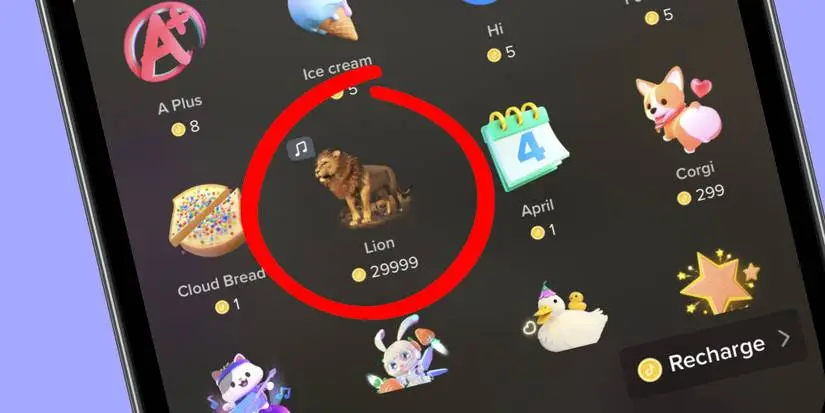
TikTok LIVE gifts are a core feature of the creator economy, allowing viewers to support streamers through virtual currency. However, this monetization ecosystem creates significant opportunities for cybercriminals to target users through phishing, account takeovers, and fraudulent refund schemes. Securing your activity requires a blend of platform-specific settings and proactive behavioral habits.
The Five-Minute Immediate Safety Plan
If you suspect your account is at risk or you want to lock down your settings immediately, follow these four critical steps:
- Enable Two-Step Verification (2SV): Go to your TikTok Settings and Privacy, select Security, and ensure 2-Step Verification is active. Use an authenticator app rather than SMS whenever possible to prevent SIM-swapping attacks.
- Restrict Gift Access: If you are a minor or a parent managing an account, navigate to ‘Family Pairing’ to restrict the ability to purchase or send gifts entirely.
- Audit Connected Apps: Navigate to ‘Security’ then ‘Manage app permissions’. Remove any third-party tools that claim to offer ‘free coins’ or ‘gift generators’. These are almost always credential-harvesting tools.
- Review Payment Methods: Go to ‘Balance’, then ‘Recharge’, and ensure your primary payment method is not saved directly to the platform if you are worried about unauthorized spending. Use a digital wallet or a prepaid card with limited funds instead.
How to Secure TikTok LIVE Gifts Against Common Threats
Securing your digital footprint is not a one-time task. To truly understand how to secure TikTok LIVE gifts, you must recognize that scammers often exploit the emotional urgency of live streams. They frequently impersonate creators to solicit ‘donations’ via external sites or fake payment portals.
| Risk Factor | Actionable Defense |
|---|---|
| Phishing Links | Never click links in DMs promising free TikTok coins. |
| Impression Scams | Verify the creator by checking for the official blue badge. |
| Account Takeover | Use unique, high-entropy passwords for your email and TikTok. |
| Unintended Spending | Require FaceID or password confirmation for all in-app purchases. |
As noted in the official TikTok safety guidelines, users should exercise extreme caution when interacting with unofficial third-party platforms that claim to provide rewards or financial incentives. These sites often aim to steal your login credentials or harvest personal data for identity theft.
Real-Life Scenario: The ‘Fake Giveaway’ Trap
Consider a common scenario: A user enters a live stream where the host promises a massive reward in exchange for a ‘transaction fee’ or ‘gift verification’ to unlock coins. The user is redirected to a malicious website. By the time they realize the site is fake, the attacker has already captured their TikTok login credentials and attempted to link a new payment method to their wallet. This highlights why data protection starts with skepticism toward high-pressure offers.
Long-Term Habits for Digital Safety
To maintain long-term security, you must treat your TikTok account with the same level of care you give your online banking. Regular compliance with security best practices is the only way to stay ahead of evolving threats.
- Limit Spending Caps: Set a strict monthly limit for your virtual currency purchases. This acts as a circuit breaker for potential financial damage.
- Disable Auto-Top-Up: Manually recharge your coin balance only when needed. This ensures you are always aware of how much you are spending in real-time.
- Privacy Hygiene: Regularly export your TikTok data to review what information the platform holds, and delete your account or specific data points if you no longer require them.
Frequently Asked Questions
Can I recover lost TikTok coins? If coins were stolen due to unauthorized access, contact TikTok Support immediately via the ‘Report a Problem’ feature. However, recovery is not guaranteed.
Are ‘Free Coin Generators’ real? No. Any service offering free currency is a scam designed to steal your credentials or distribute malware.
Conclusion
Learning how to secure TikTok LIVE gifts is essential for any user engaging with the creator economy. By implementing two-step verification, auditing your app permissions, and staying vigilant against phishing, you significantly lower your risk profile. Remember that security is a continuous process, not a destination. Maintain your privacy by limiting data sharing and keeping your payment information isolated from your social media activity.















Leave a Reply