



Gigabud Malware Uses Android Work Profiles to Evade Fraud Detection

Share

The Gigabud Android banking trojan has adopted a sophisticated method of cloning banking applications into isolated work profiles to circumvent fraud detection mechanisms. This technique allows fraudsters to execute illicit transactions from an environment that remains largely invisible to security software running in the device’s primary profile.
According to research from Group-IB, the malware is paired with Vwork, a malicious version of the open-source Android cloning tool Shelter. Researchers have attributed both the Gigabud trojan and Vwork to a threat group identified as GoldFactory.
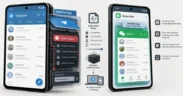
The malware uses Android’s built-in work profile feature to create a separate, isolated sandbox. While the legitimate version of Shelter is designed for user-driven privacy, Vwork exposes its cloning functions as an interface that other applications on the device can trigger. Gigabud contains specific code to provision these profiles, clone targeted banking apps, and report successful deployments back to the attackers.
This isolation creates a significant blind spot for security tools. Because signature-based detection in the personal profile typically cannot scan apps within a newly created work profile, a malware alert triggered in the main environment will not prevent fraudulent activity within the cloned profile. To the bank, the transaction appears to originate from a clean device with no history of compromise.
The technical sophistication of the attack has already resulted in substantial financial losses. In Indonesia alone, between February and July 2026, researchers observed approximately 1,469 compromised devices and 1,281 potentially compromised logins, with estimated losses totalling roughly $960,939. While these figures are specific to the region, Gigabud samples have been identified targeting users in Brazil, Colombia, Egypt, Mexico, Thailand, and Turkiye.
Gigabud typically infiltrates devices through phishing campaigns on social media, messengers, and dedicated fraudulent websites. The malware often masquerades as legitimate software, such as airline, tax authority, or government applications. Once installed, the trojan requests several high-level permissions, including accessibility access, overlay permissions, and battery exemptions. The granting of accessibility access provides the attackers with significant control over the handset.
During a fraudulent session, the malware employs multiple layers of deception. Fake login screens are used to harvest banking credentials, while an invisible overlay captures the device’s lock screen code. To prevent the user from noticing the theft in real time, a black screen is often displayed over the handset during the actual fraudulent transaction.
To combat this evolving threat, security researchers suggest that financial institutions monitor for specific behavioural signals. These include the sudden appearance of a work profile that the user did not manually configure, the presence of an otherwise empty isolated environment, or a banking application requesting accessibility access without a legitimate reason.
Banks are also advised to implement device binding to prevent stolen credentials from being used to authorise payments on unauthorised hardware. For individual users, the primary defence remains adhering to official app stores and avoiding third-party software distributed through unofficial channels.










Leave a Reply